
Guarded support workflow
AV Scout
Give an AV support team fast endpoint evidence and a narrowly scoped recovery action—without handing out unrestricted switch access.
The support team needed evidence, not a privileged CLI.
The AV team needed a way to locate and recover its own devices without waiting for a network engineer to repeat every lookup. The challenge was giving them useful self-service on their approved VLAN while keeping broad switch access and unrelated infrastructure completely outside the workflow.
AV Scout exposes a deliberately small workflow. Search by MAC, IP, building, or room; review the live interface record; and allow a bounded port power cycle only when server-side policy confirms the target.
I treated refusal as part of the product. The tool should explain why an action is blocked—wrong scope, trunk mode, protected neighbor, stale evidence, or cooldown—so self-service never becomes guesswork.
Search first. Prove scope. Then act.
Start from the support context
Normalize a MAC or IP, or narrow discovery by a synthetic building and room scope.
Trace to the access edge
Follow network evidence through the approved jump path to a candidate switch port.
Build the evidence card
Display link state, VLAN, mode, NAC session, counters, reachability, and protection signals.
Evaluate the action
Require the approved AV scope, access-port mode, no uplink or port-channel signal, confirmation, and cooldown.
Record the outcome
Stream progress, restore the port, and retain the operator, target, timing, and result.
The UI is narrow; the server enforcement is narrower.
The tool does not make broad claims that it “cannot touch” anything else. The precise statement is that server-side validation restricts the exposed write action to interfaces that pass the implemented policy.
Operators see why an action is available or blocked.
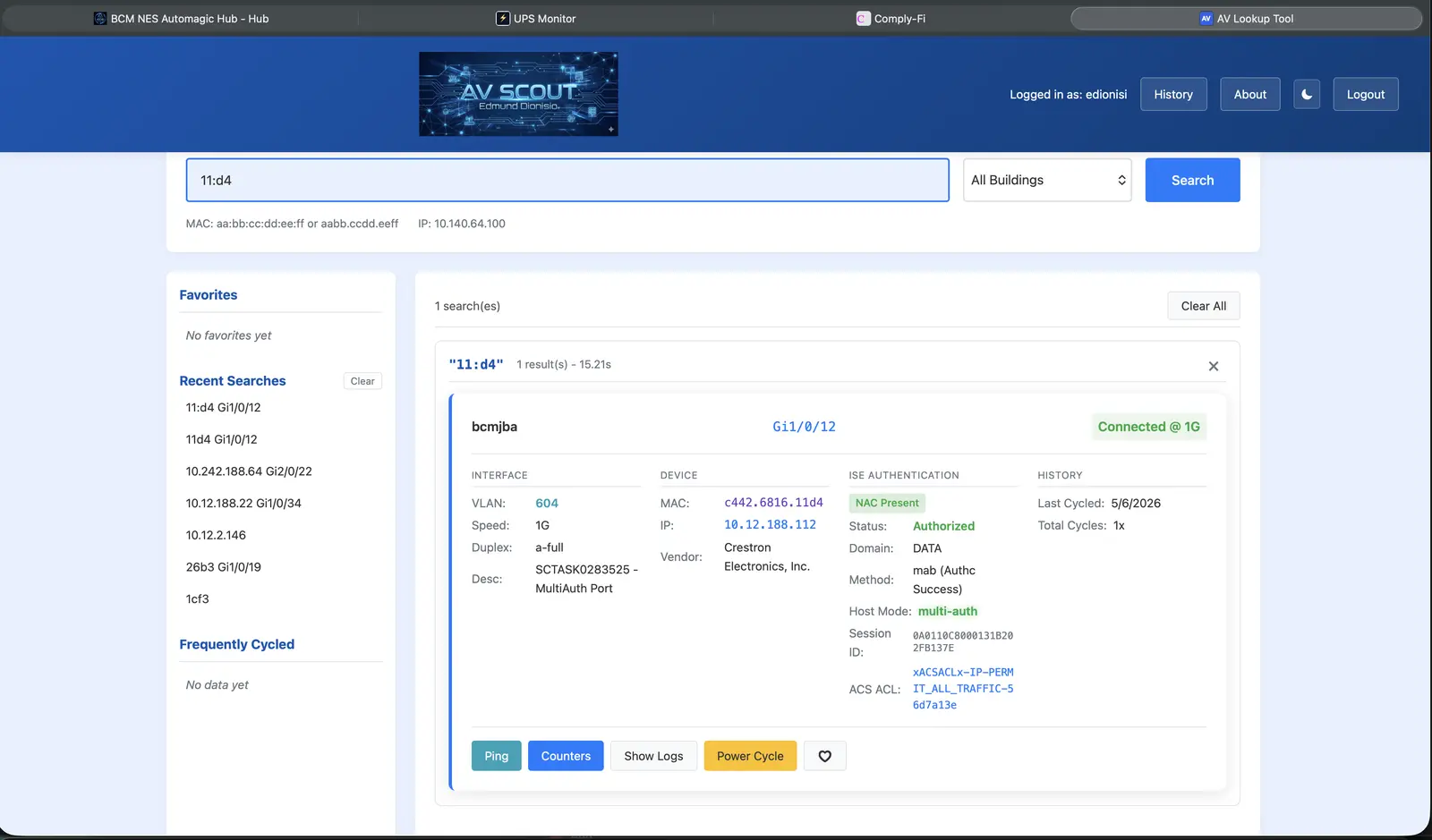
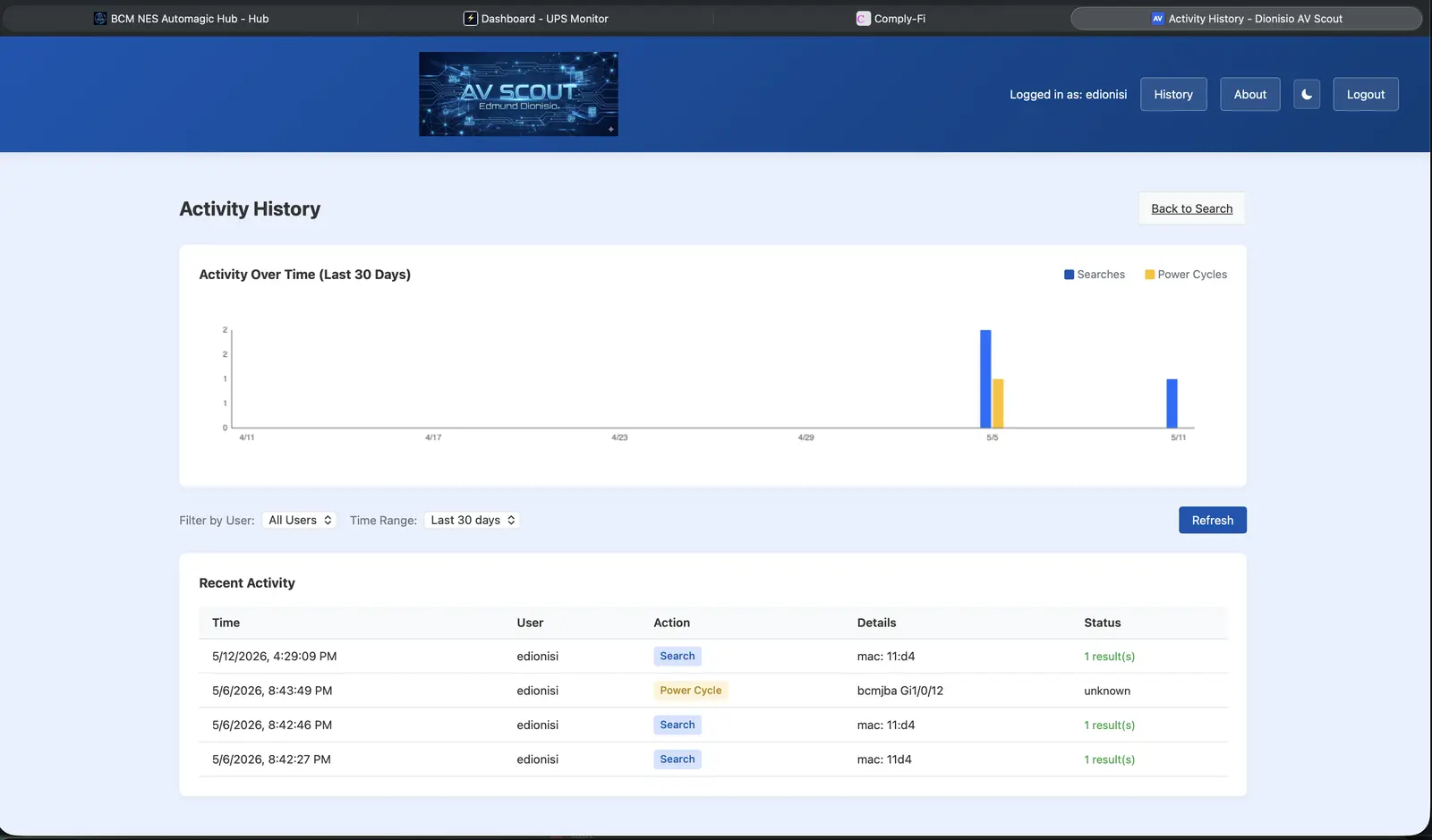
Self-service works when refusal is understandable.
A safe workflow cannot end at “blocked.” It needs to show which evidence failed—wrong scope, trunk mode, protected neighbor, stale lookup, active cooldown—so the operator knows whether to refresh, escalate, or stop.
- Production use requires authorized device access and an organization-approved target policy.
- The public case study uses synthetic identifiers and exposes no live SSH capability.
- Version references in older documentation conflict, so this page reports maturity without a public version claim.